Product
Stop Context Switching: Get Data-Driven Answers Without Leaving Slack
Stop waiting hours for data insights. The Wren AI Slack Integration embeds Generative Business Intelligence directly into your collaboration workflow. Ask natural language questions in any channel and get instant, accurate, and visual data answers without ever leaving Slack.
Pin Chang
Updated: Dec 20, 2025
Published: Dec 19, 2025
In today's fast-paced environment, waiting for a key data point can halt momentum. Consider the typical bottleneck: a product manager needs user engagement metrics, which requires interrupting the analytics team to write and run SQL queries, a process that can take hours.
What if you could eliminate that bottleneck? What if your entire team could get instant, accurate, and visual answers to complex data questions without ever leaving their central hub of collaboration: Slack?
That's the power of Wren AI Slack Integration. It turns your team's casual questions into precise data insights, instantly delivered where the conversation is happening. Wren AI, the Generative Business Intelligence platform, has now embedded itself directly into your workflow.
How to Use the Slack Integration
Getting instant insights from Wren AI is simple once the integration is set up.
- Simple Setup
The integration is initiated within your Wren AI settings:
- Navigate to Settings → Slack Integration in your Wren AI account.
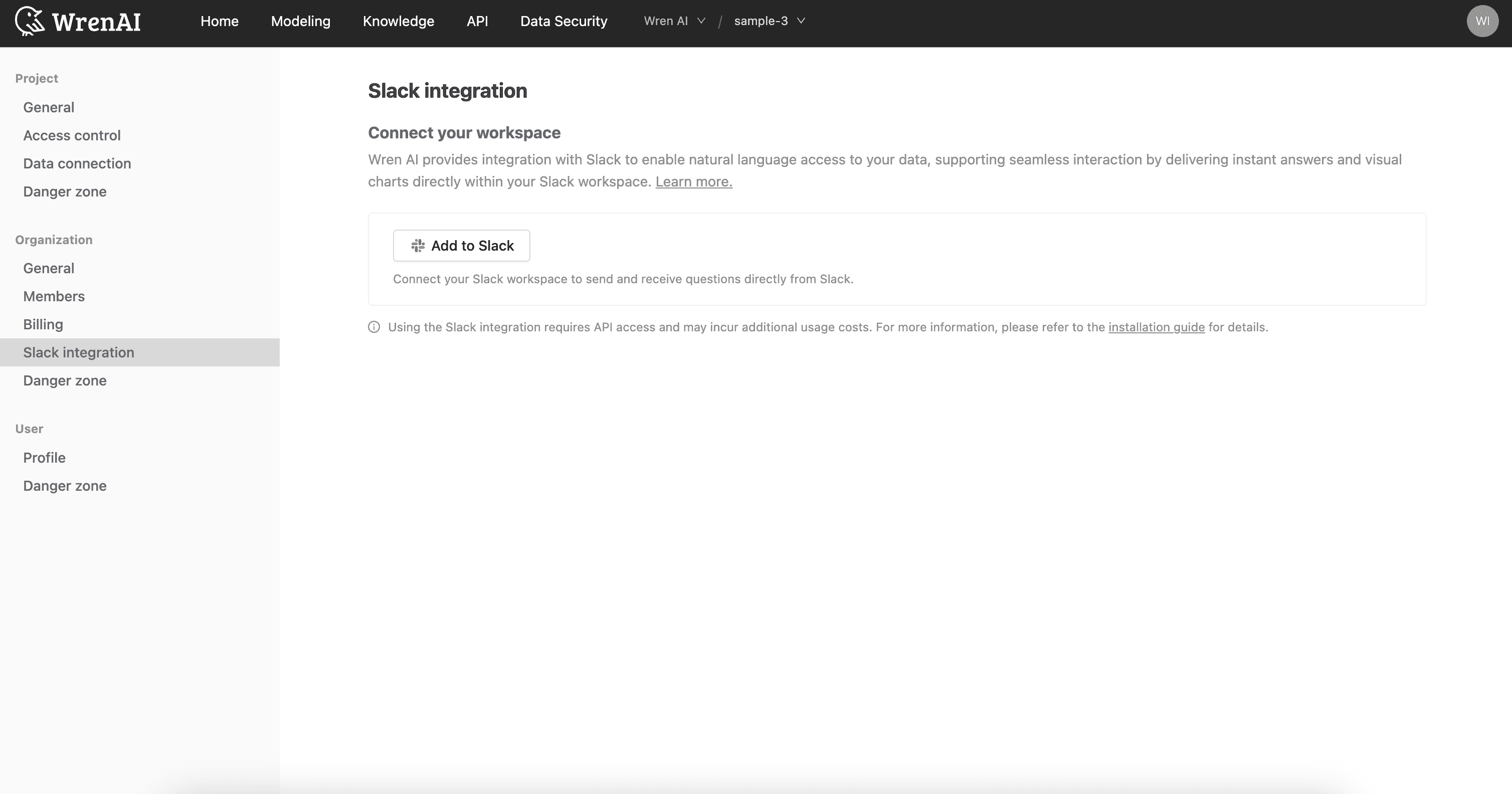
The Slack integration page in Wren AI settings - Click "Add to Slack" and complete the standard authorization process.
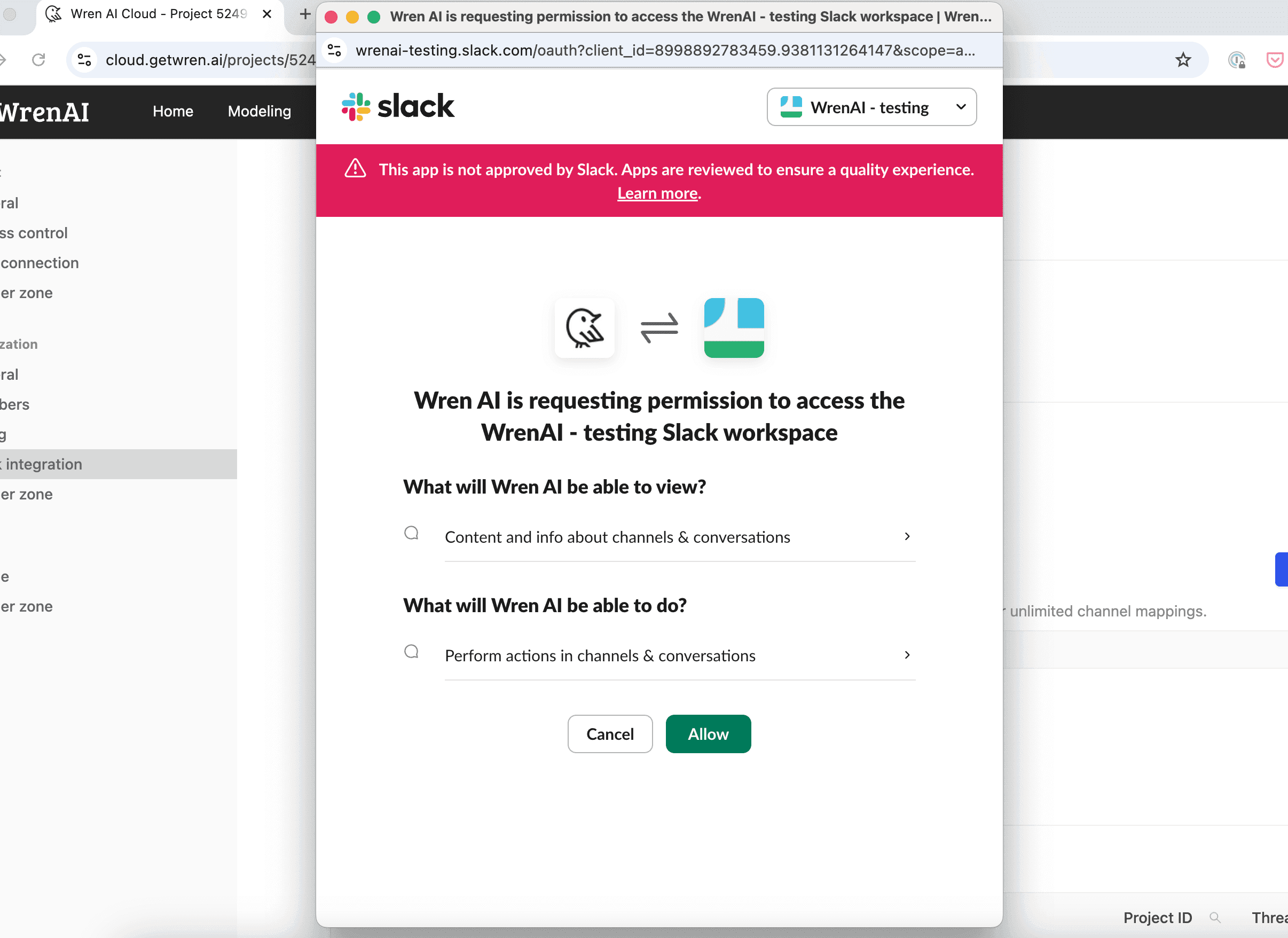
Authorizing Wren AI to access your Slack workspace - Once setup is complete, your Slack workspace name will appear on the integration page.
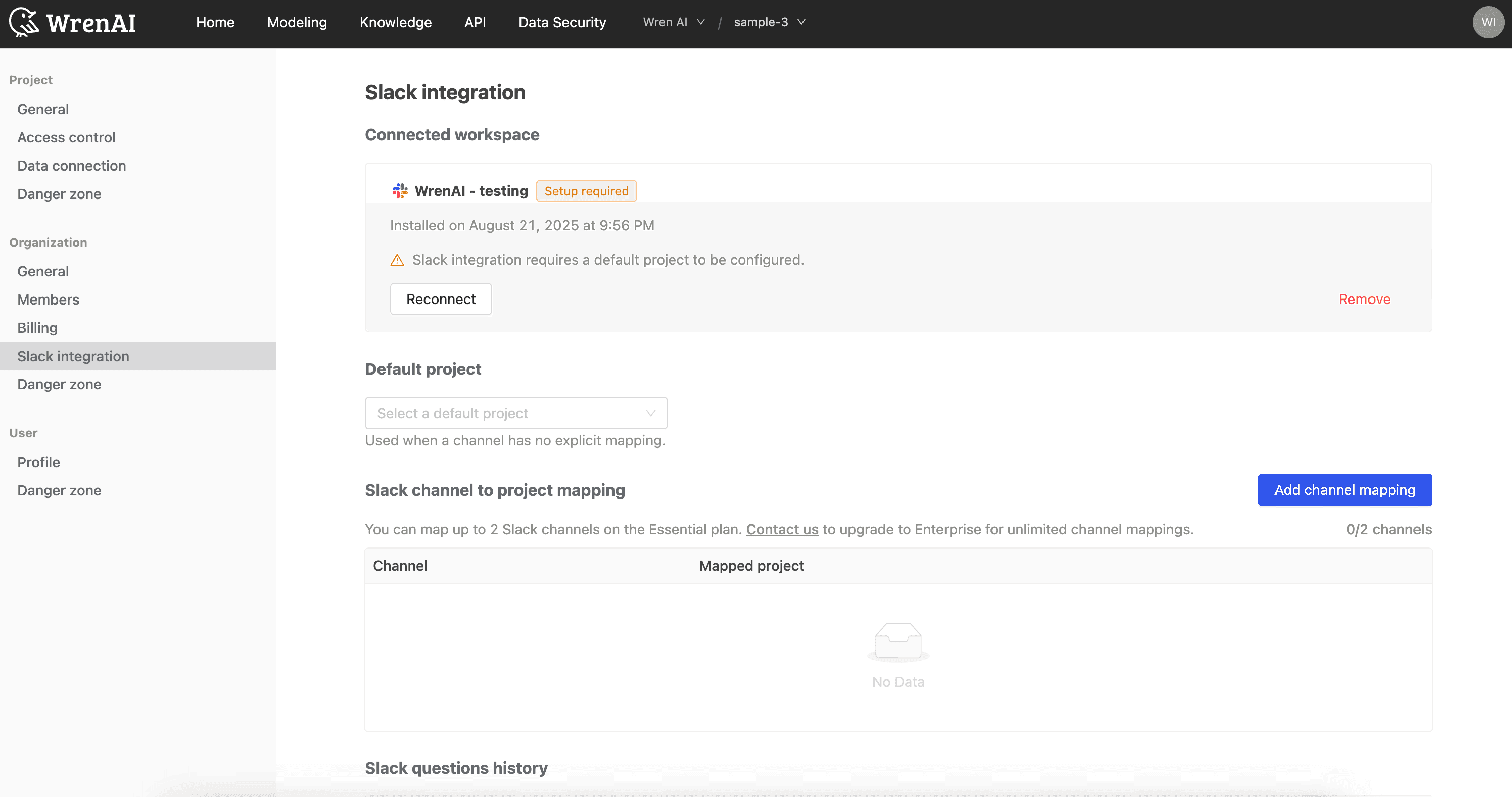
The connected Slack workspace shown on the integration page
- Configure Project and Channel Mapping This step ensures your team is asking questions against the right data, maintaining security and accuracy:
- Set a Default Project: Assign a project that will be used for any channel not explicitly mapped.
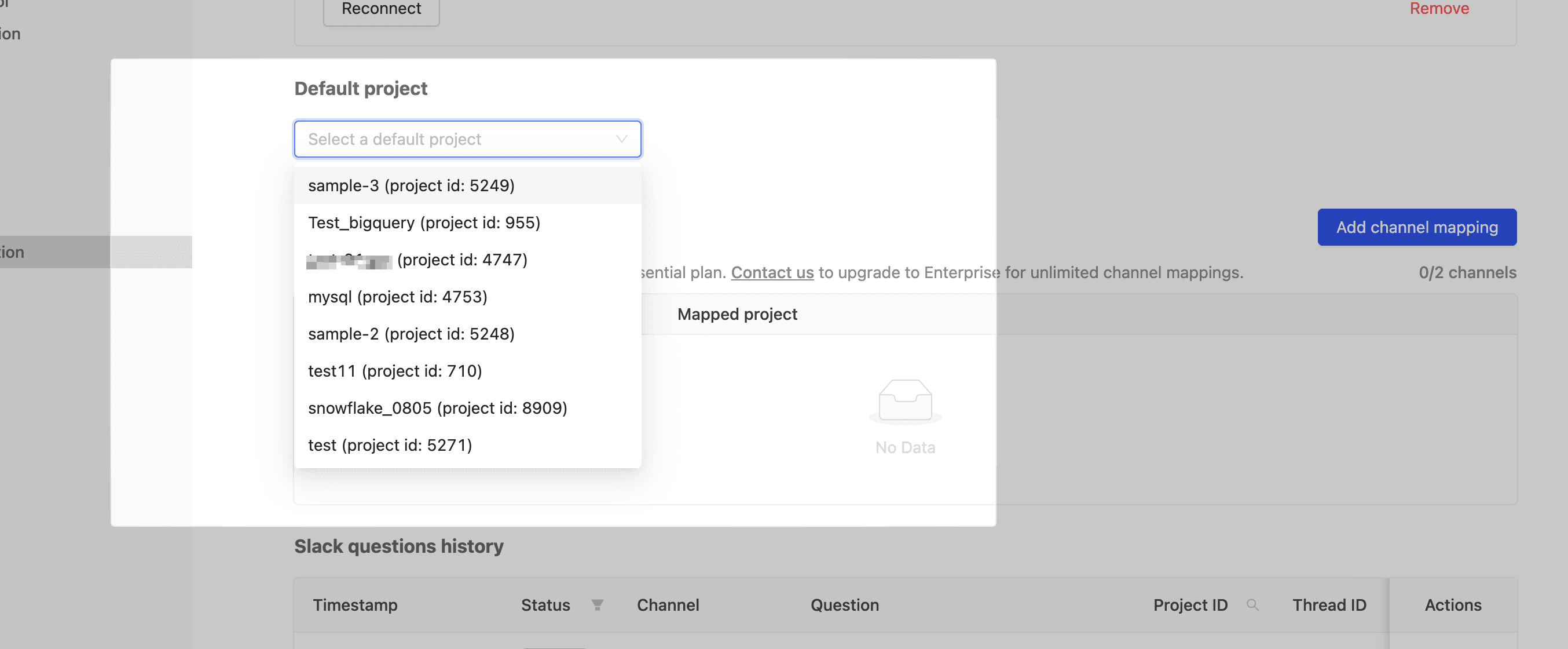
Selecting a default project for unmapped channels - Map Specific Channels: For channels dedicated to specific topics (e.g., #marketing-performance), map them to the corresponding Wren AI project to ensure all queries in that channel use the most relevant data sources.
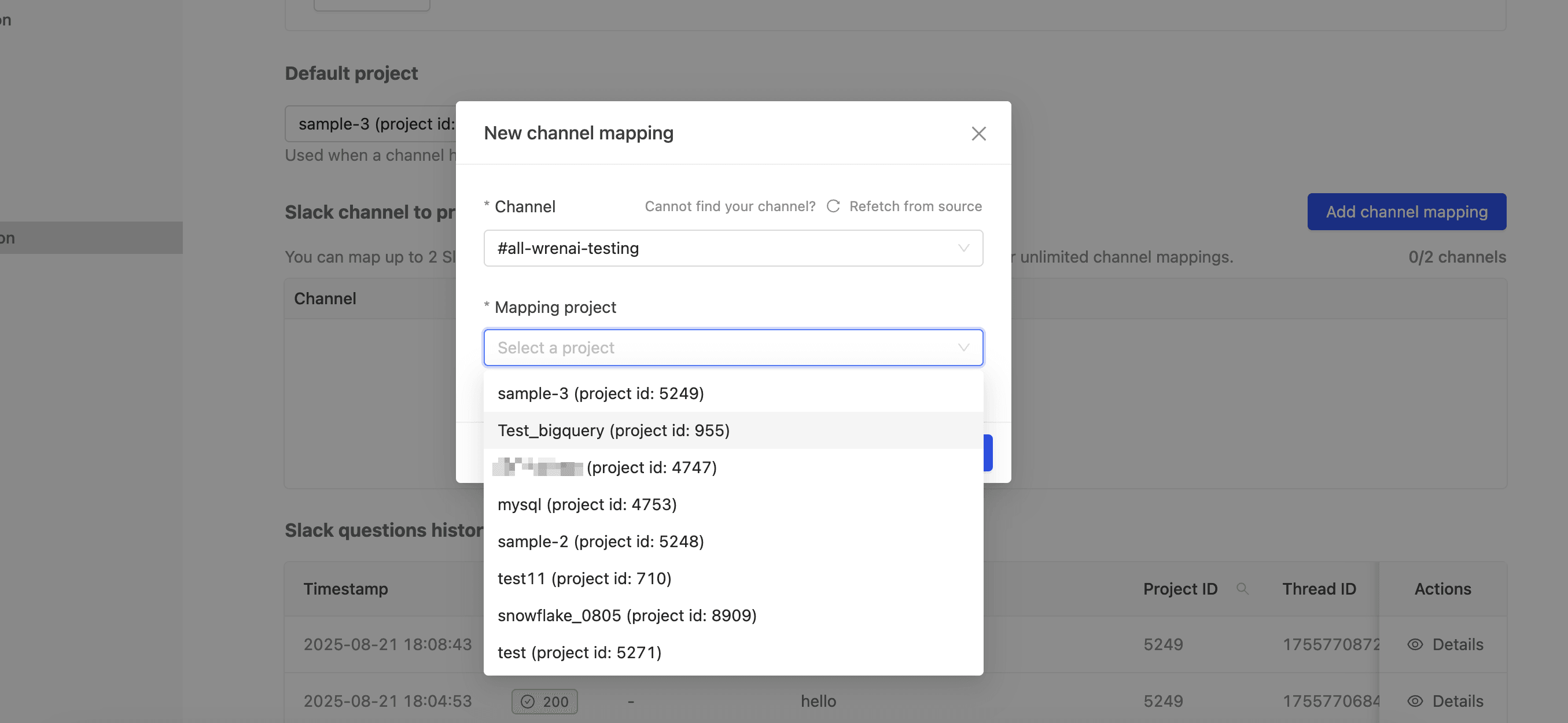
Mapping a Slack channel to a Wren AI project
- Ask Questions Directly in Slack Once set up, the Wren AI bot is ready to serve your team:
- Mention Wren AI: In any mapped Slack channel, simply mention @Wren AI followed by your natural language question.
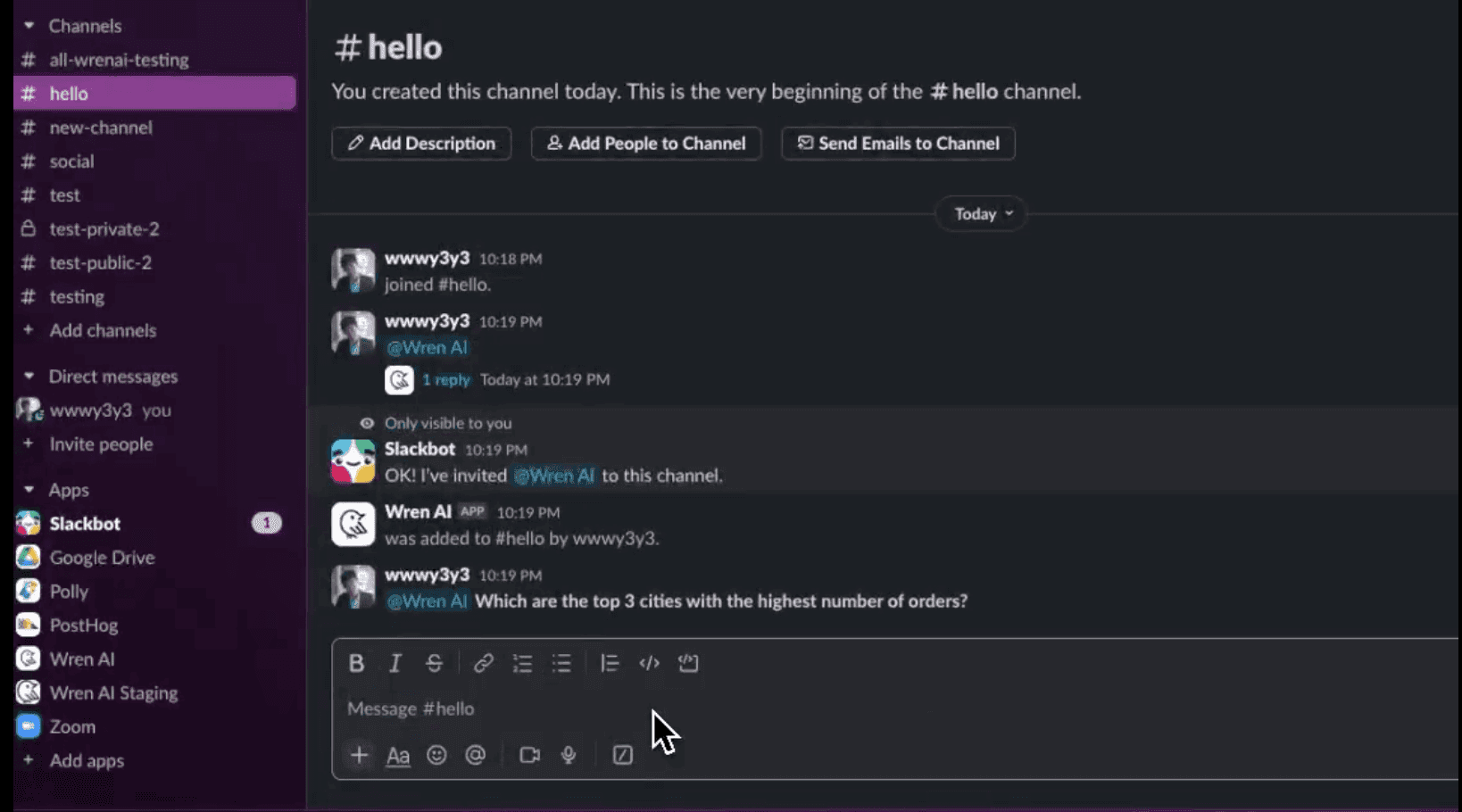
- Get Instant Results: Wren AI will respond in a thread, providing the answer, the generated chart (where applicable), and often the underlying SQL for transparency, using the context from your linked data models.
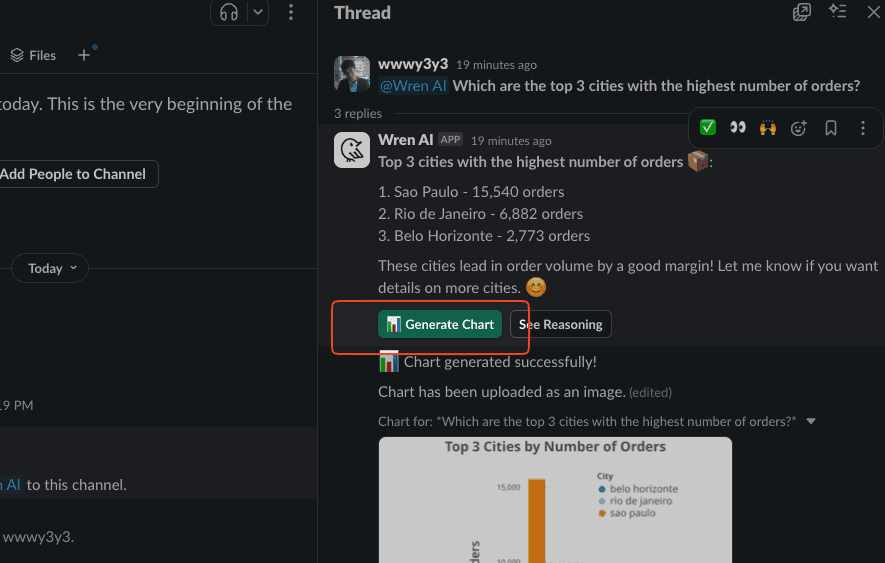
Wren AI answers in a thread and generates a chart 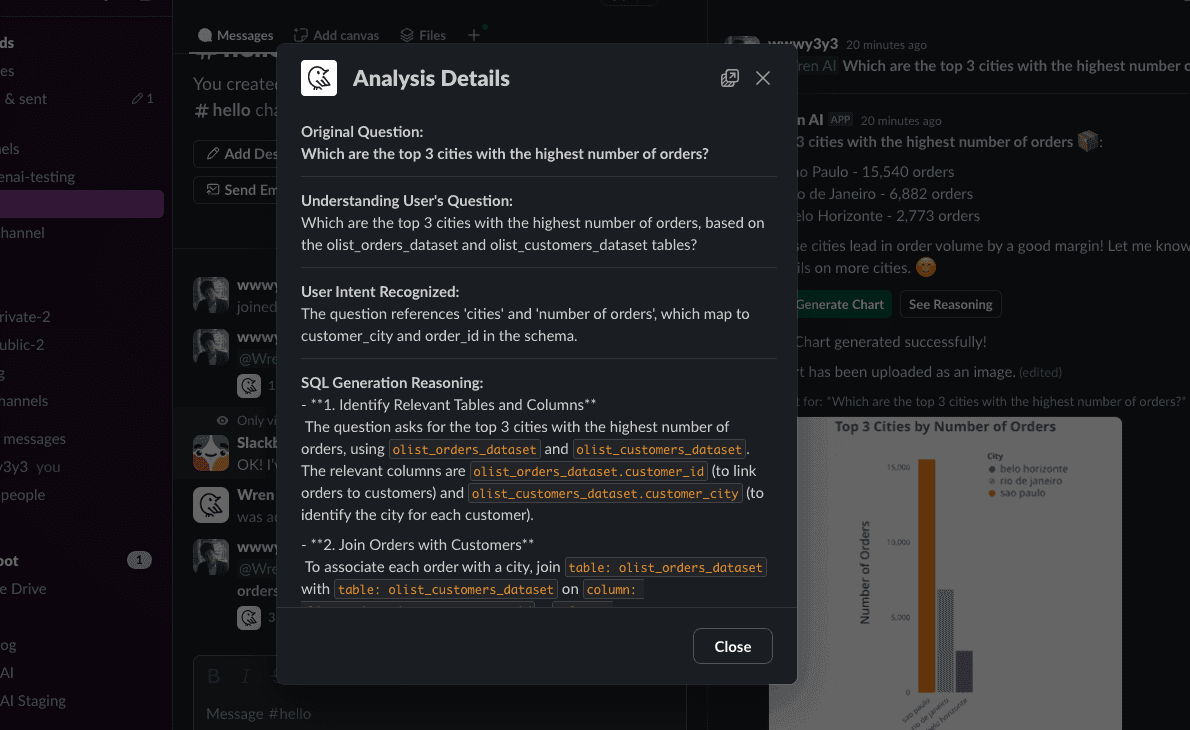
Analysis details show how Wren AI interpreted the question and built the SQL - Follow-Up: Continue the conversation in the same thread. Wren AI remembers the context, allowing for iterative, natural data exploration.
Benefits: Why the Wren AI Slack Integration is a Game-Changer
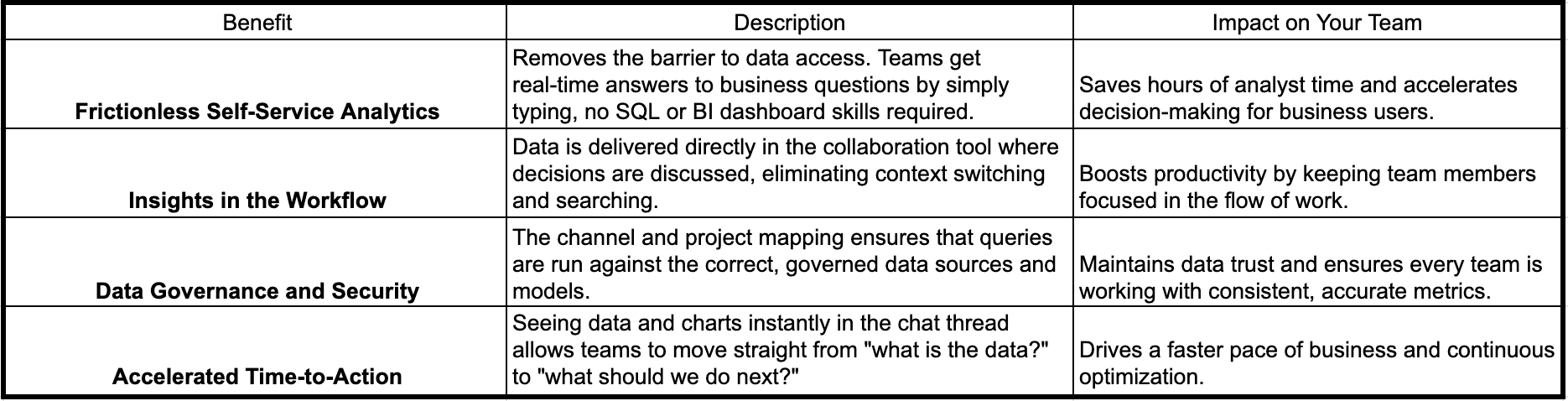
By enabling conversational BI right where your team collaborates, Wren AI breaks down the data silo, accelerates time-to-insight, and empowers every member of your organization to make data-driven decisions effortlessly.
Check out our documentation for more details: Wren AI integrates with Slack
Ready to transform how your organization accesses data? Request a demo or start your free trial at getwren.ai
See governed GenBI in action
Watch short demos of Wren AI turning business questions into governed SQL, charts, and reusable GenBI apps.
Watch product demosRelated posts
AI's Role in B2B Procurement Platform. How Embedded Analytics Elevates Sourcing, Pricing, and Strategy
Today procurement is crippled by data overload. Wren AI acts as an embedded analytics layer, augmenting existing platforms with APIs and a semantic query layer to help teams source smarter, negotiate faster, and plan with confidence.
Feb 07, 2025AI-Powered Business Intelligence: The Complete Guide to GenBI
Discover how Generative Business Intelligence (GenBI) powered by Wren AI is transforming data access with conversational AI, real-time insights, and intuitive decision-making tools for modern enterprises
Sep 17, 2025Beyond Dashboards How Conversational AI is Revolutionizing Structured Finance Analytics
How Wren AI transforms complex financial data into instant, actionable insights through natural language, no technical expertise required
The Wren Journal
Get the next deep dive in your inbox
Practical GenBI guides, product updates, and customer lessons from the Wren AI team. A couple of emails a month, no noise.

Keep reading
Tutorial
AI's Role in B2B Procurement Platform. How Embedded Analytics Elevates Sourcing, Pricing, and Strategy
Today procurement is crippled by data overload. Wren AI acts as an embedded analytics layer, augmenting existing platforms with APIs and a semantic query layer to help teams source smarter, negotiate faster, and plan with confidence.
Insight, Product
AI-Powered Business Intelligence: The Complete Guide to GenBI
Discover how Generative Business Intelligence (GenBI) powered by Wren AI is transforming data access with conversational AI, real-time insights, and intuitive decision-making tools for modern enterprises
Insight, Trend
Beyond Dashboards How Conversational AI is Revolutionizing Structured Finance Analytics
How Wren AI transforms complex financial data into instant, actionable insights through natural language, no technical expertise required