Tutorial
How to use OpenAI GPT-4o to query your database?
Today, OpenAI released its latest LLM model, GPT-4o. People are sharing crazy applications built on top of this groundbreaking model. By…
Howard Chi
Updated: Dec 18, 2025
Published: Aug 16, 2024
Note: this tutorial predates Agentic GenBI. The walkthrough below still works, but it frames Wren AI as a text-to-SQL tool. Today Wren AI is an agent that reasons over a governed context layer, with skills and memory, for humans and agents alike. Read "Introducing Agentic GenBI" to see how the product works now.
Today, OpenAI released its latest LLM model, GPT-4o. People are sharing crazy applications built on top of this groundbreaking model. By using GPT-4o, we see improvements in data retrieval, which could benefit users with faster response and be more cost-efficient (Cost less than GPT -4 Turbo).
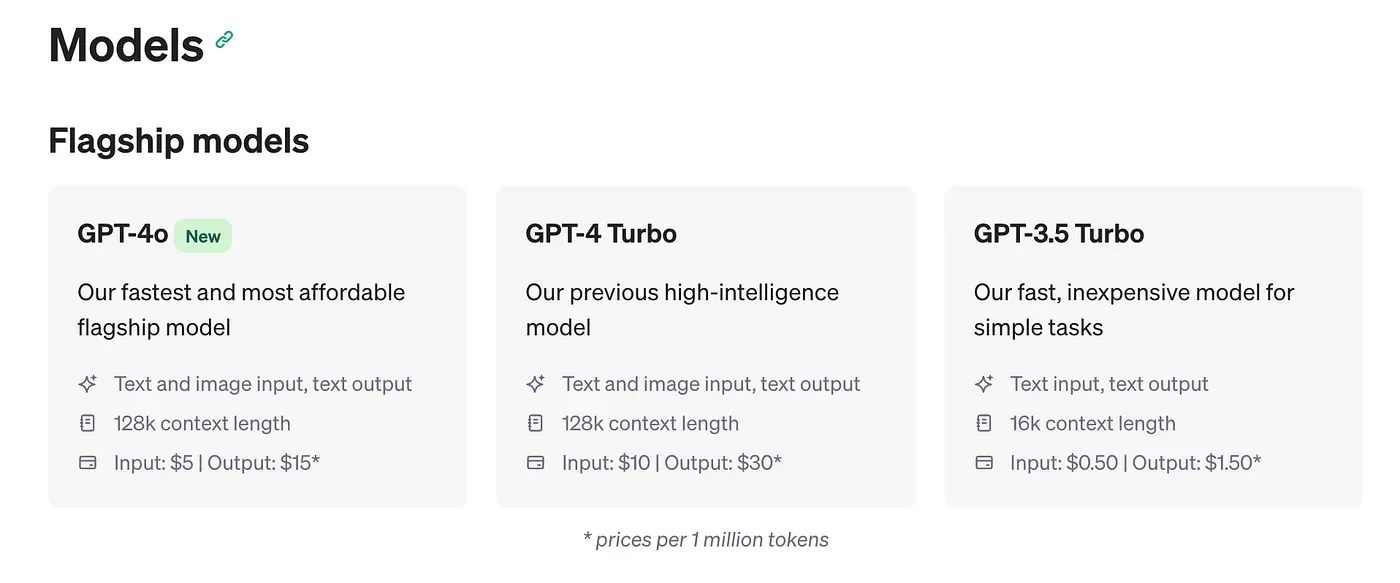
gpt-4o to query your own PostgreSQL database!

Wren AI is an open-source text-to-SQL solution for data teams to get results and insights faster by asking business questions without writing SQL.
Let’s get started!
Using Wren AI with GPT-4o to query PostgreSQL
Setup your PostgreSQL database
Start your PostgreSQL server, and enter your PostgreSQL database using the psql client.

Create a database in PostgreSQL here, we called ecom-wrenai
Connect to the created database ecom_wrenai using \c <database_name>
Now, you want to create tables of this dataset and import the data. Please check the SQL script here in the gist.
You can either copy the script to your psqlor Import SQL via psql
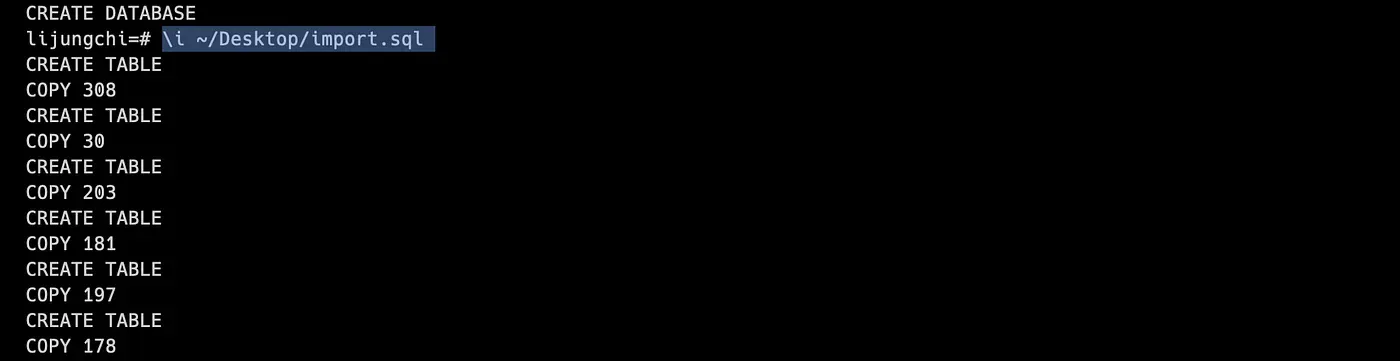
Import data successfully
Installing Wren AI
Next, let’s start installing Wren AI; before we start, you need to install Docker.
1. Install Docker Desktop on your local computer.
Please ensure the version of Docker Desktop is at least >= 4.17.
2. Prepare an OpenAI API key
Please ensure that your Open API key has Full Permission(All).
Visit the OpenAI developer platform.
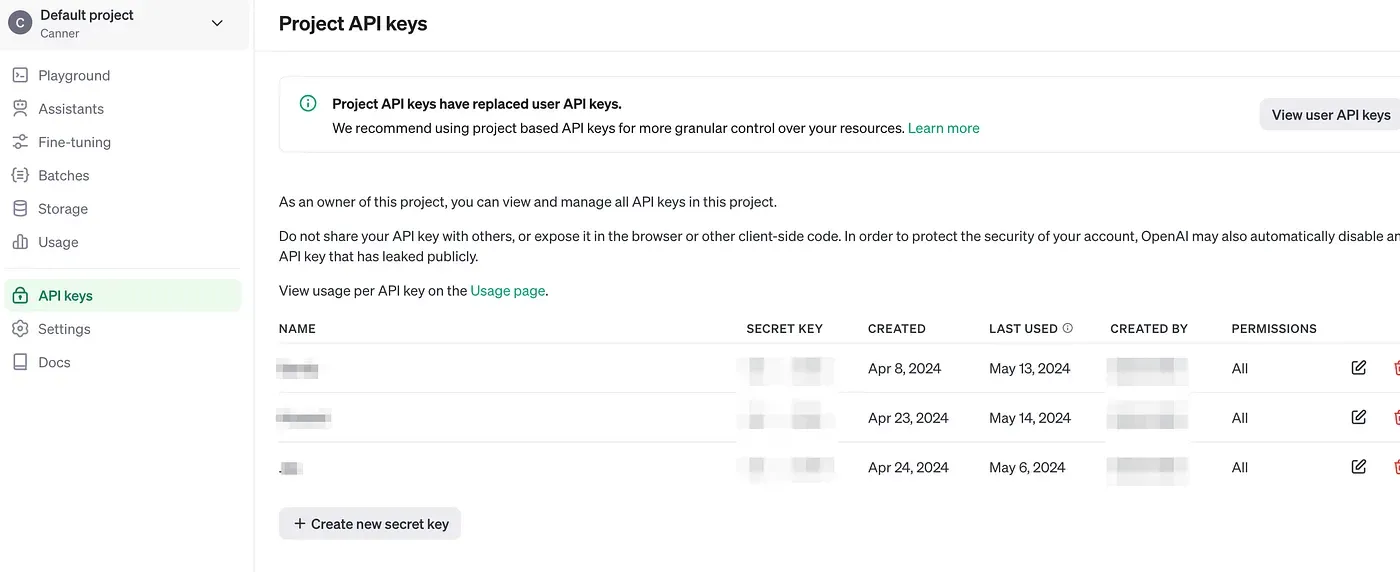
Enter the OpenAI API key page
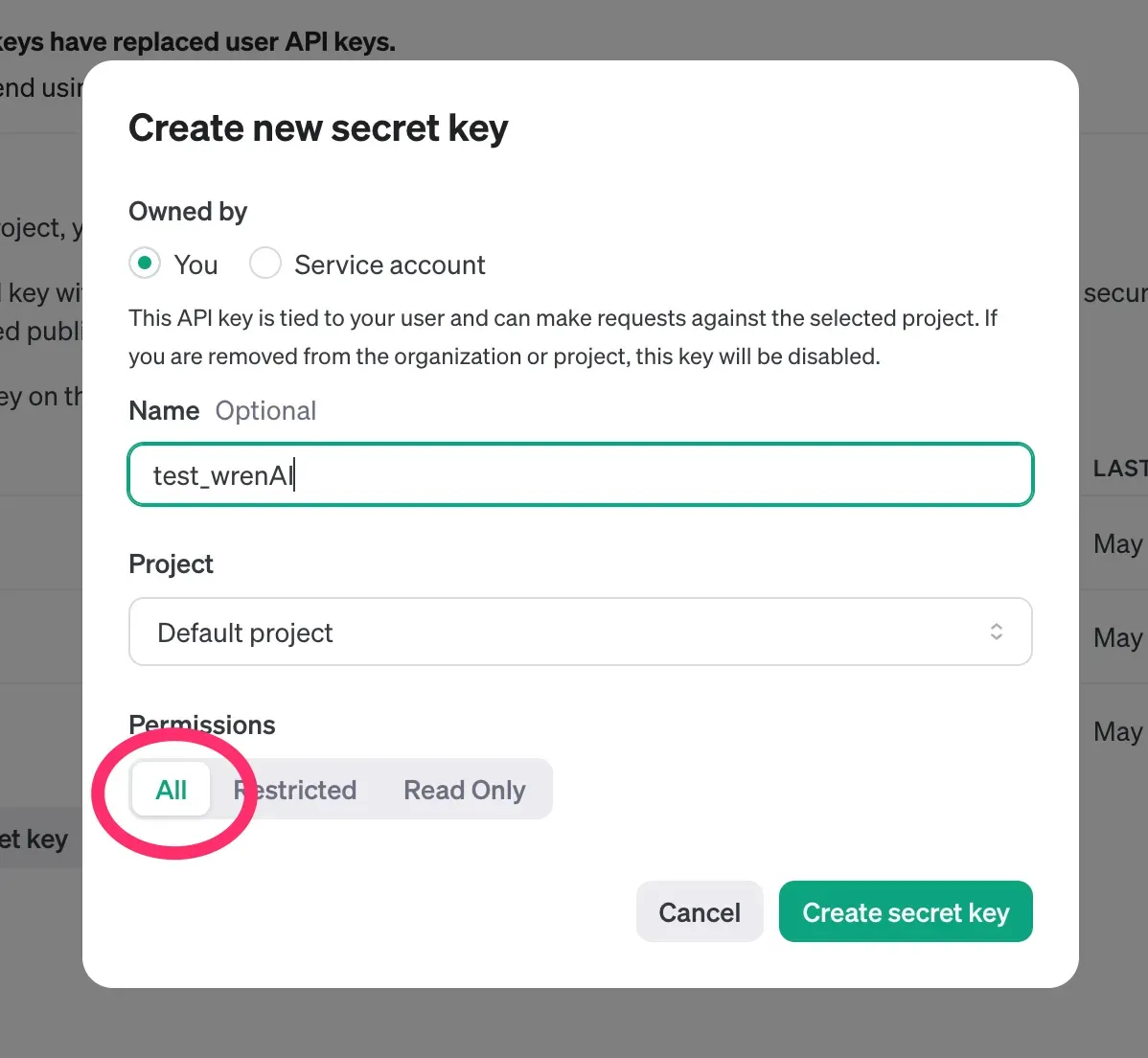
3. Install Wren AI Launcher
If you are on Mac(using Windows or Linux check here) enter the below command to install the latest Wren AI Launcher.
curl -L https://github.com/Canner/WrenAI/releases/latest/download/wren-launcher-darwin.tar.gz | tar -xz && ./wren-launcher-darwin
The launcher will then ask for your OpenAI API key as below, paste your key into the command and hit enter.
Now you can select gpt-4o , gpt-4-turbo , gpt-3.5-turbo of OpenAI’s generation model in Wren AI.
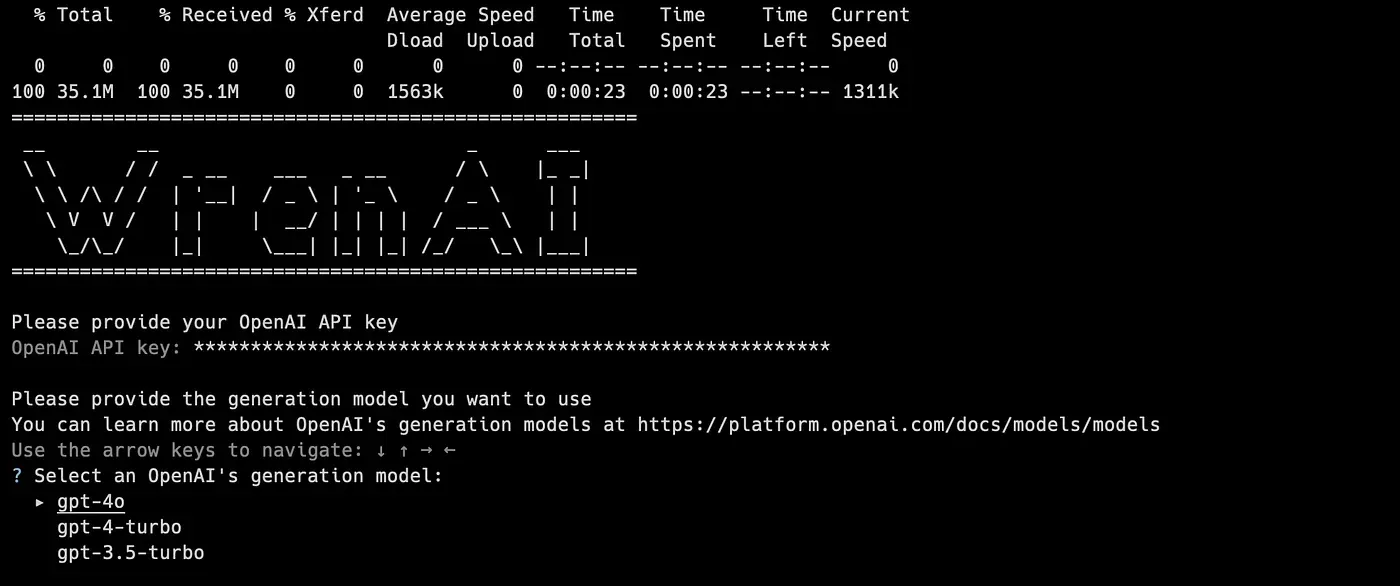
Install Wren AI with CLI
Now you’ll see we are running docker-compose on your computer; after the installation, the tool will automatically open up your browser to access Wren AI.
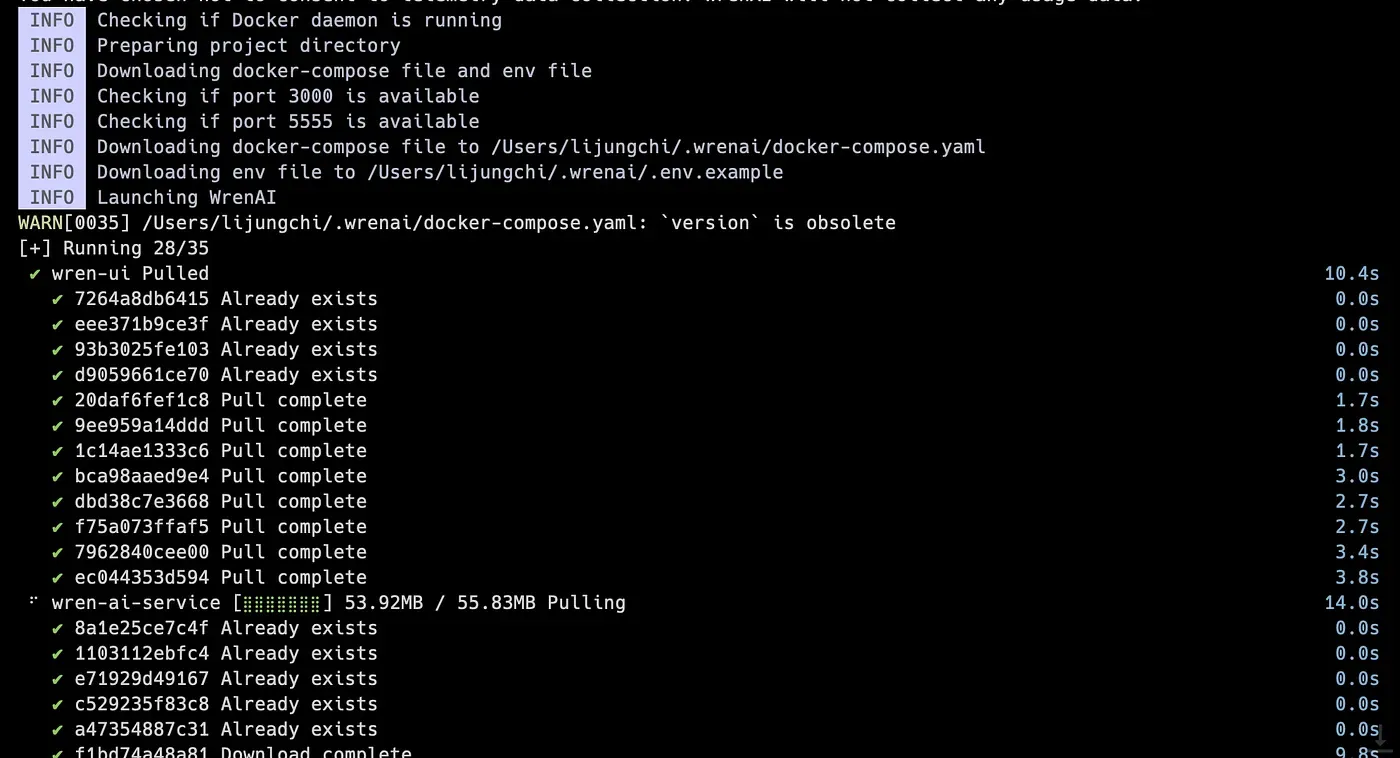
Running Docker Compose on your computer
Connect your Data Source
While the terminal is successfully installed, it will launch the browser
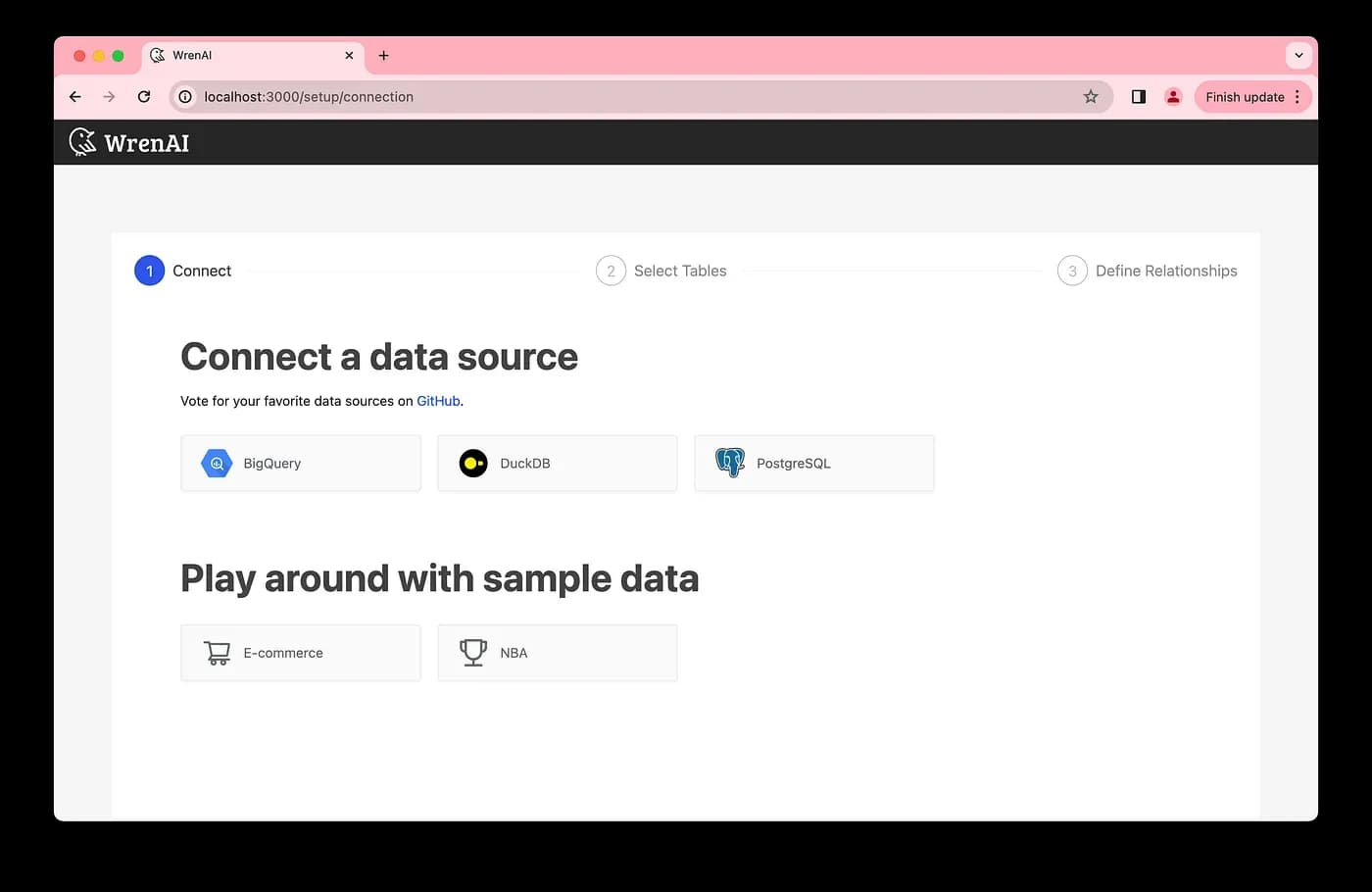
First-time launching Wren AI
Select PostgreSQL database connector
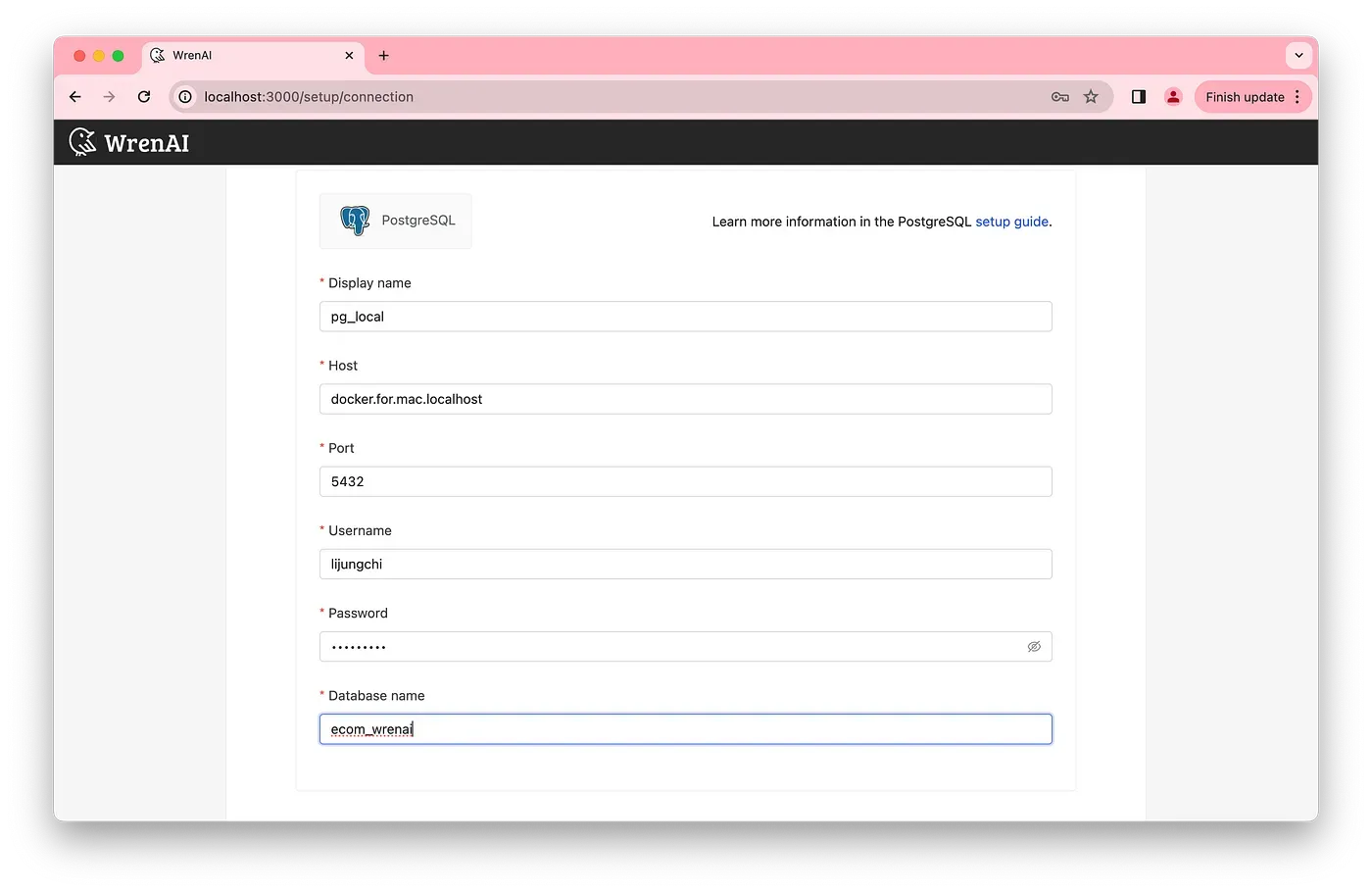
Fill out the connection information
If you use the Mac local PostgreSQL database, enter docker.for.mac.localhost to access the database.
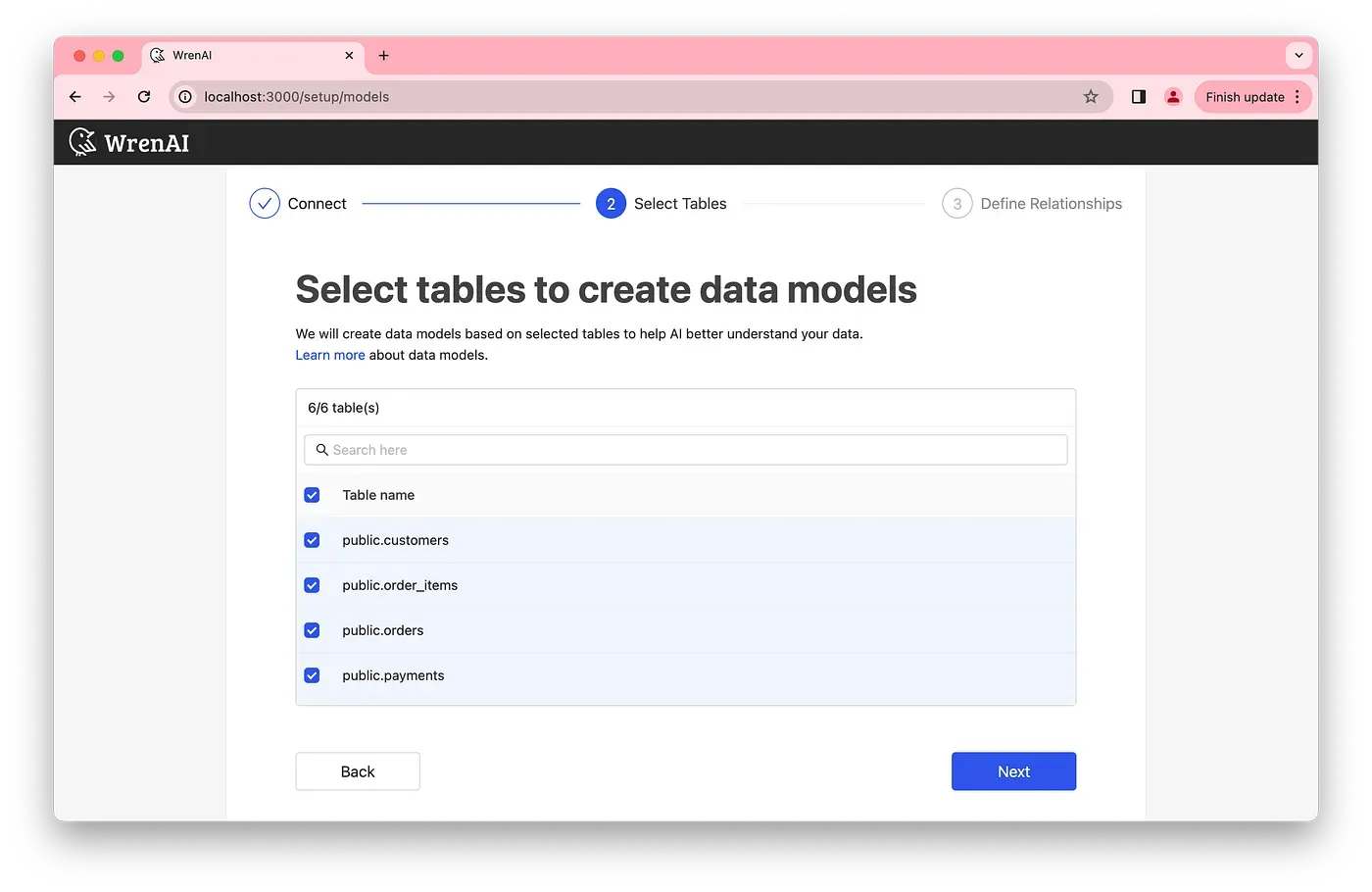
Select data models in your database.
Next step, define relationships to the semantic models; this could help LLMs to understand more about your semantic data structure.
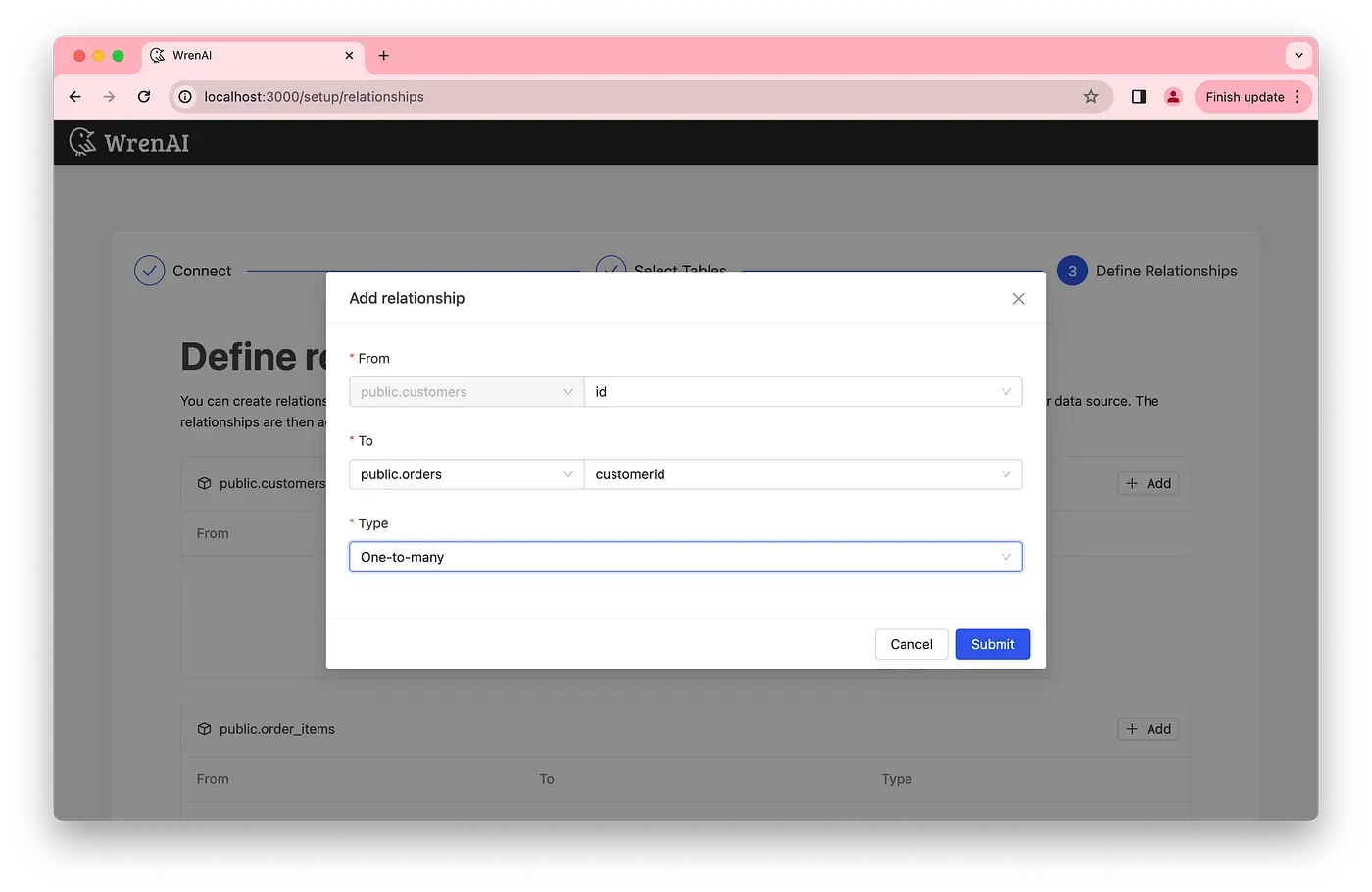
Add semantic relationships
Now, you are all set!
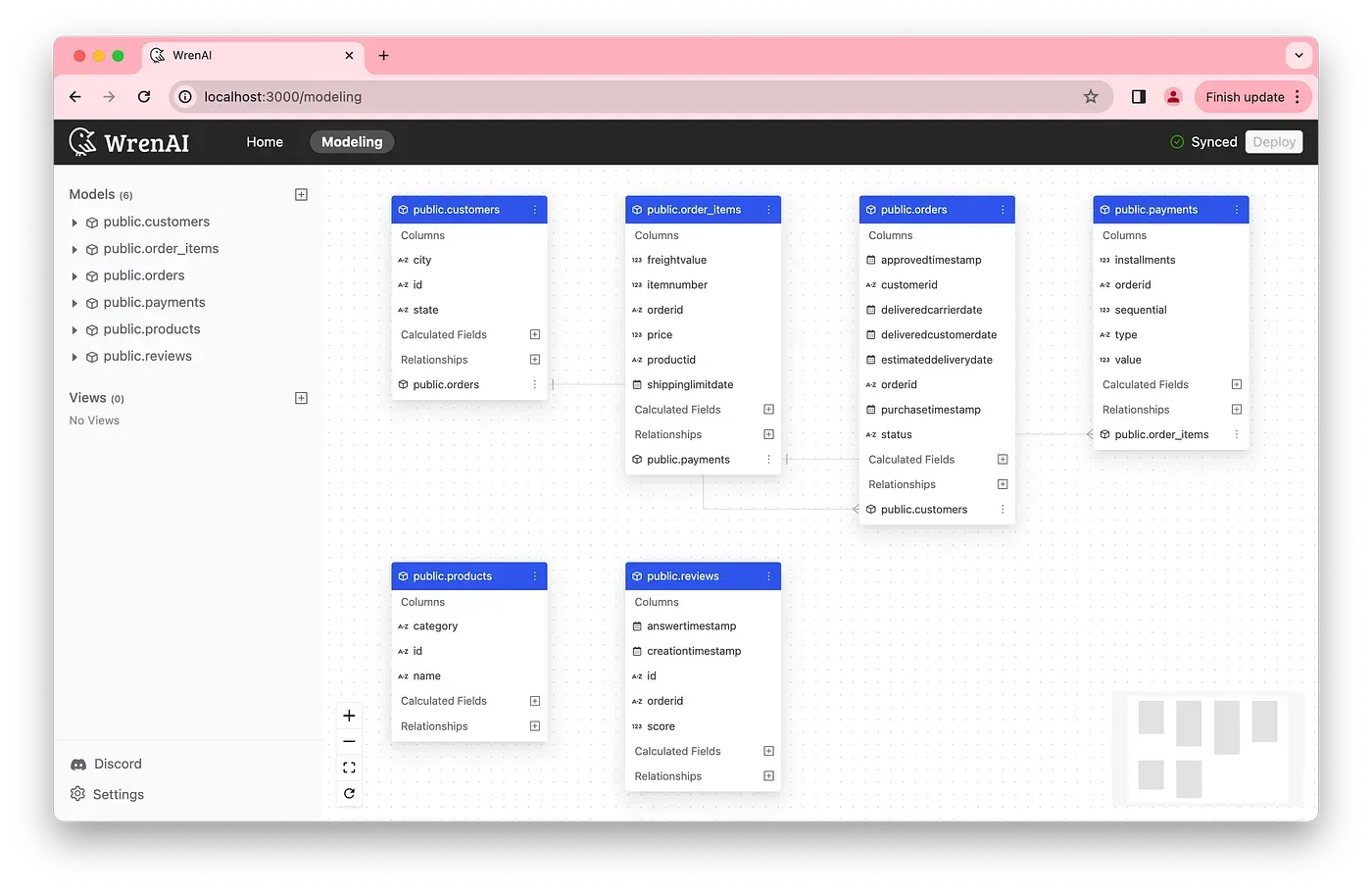
Complete the setup
Playing around with Wren AI
Wren AI UI semantic modeling
many-to-one , one-to-many , or many-to-many relationships between tables.
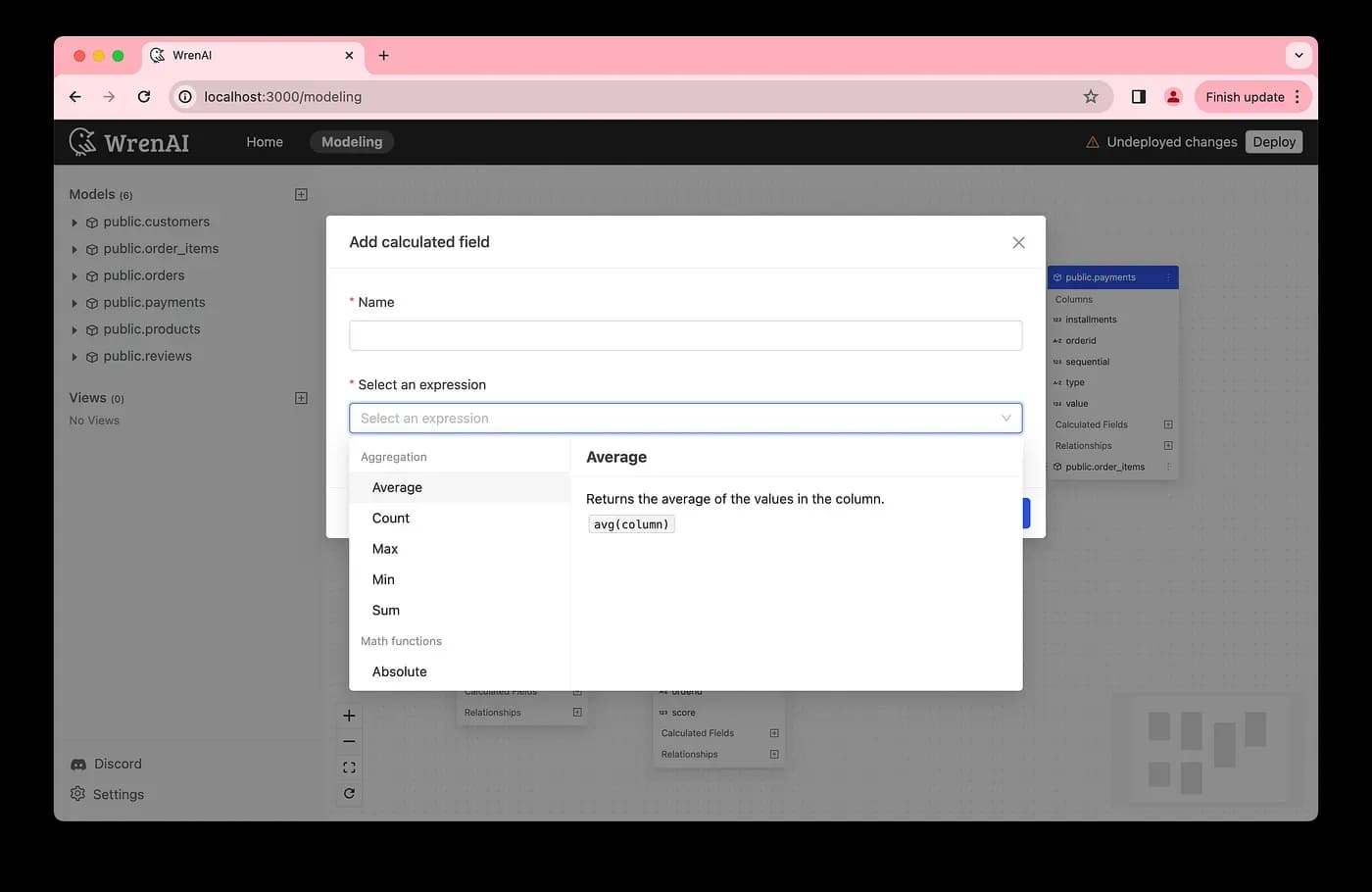
Add calculations in the data model
Adding semantic relationships between tables.
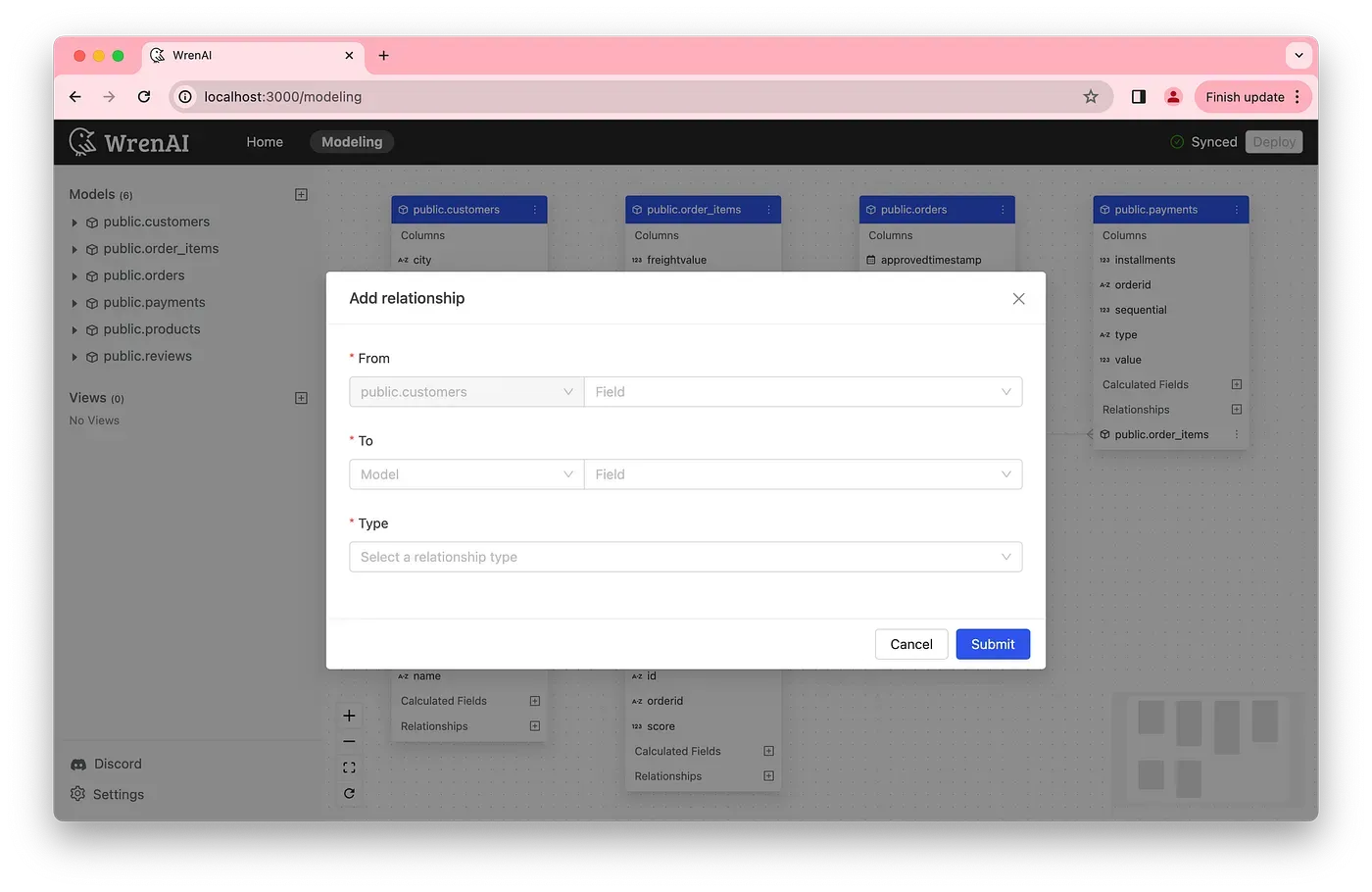
Add relationships in the data model.
Ask business questions and Follow-up insights with Wren AI
Home page in Wren AI UI, by clicking New Thread you can start asking any of your business questions, Wren AI search for relevant semantics through the vector store and provides recommendations.
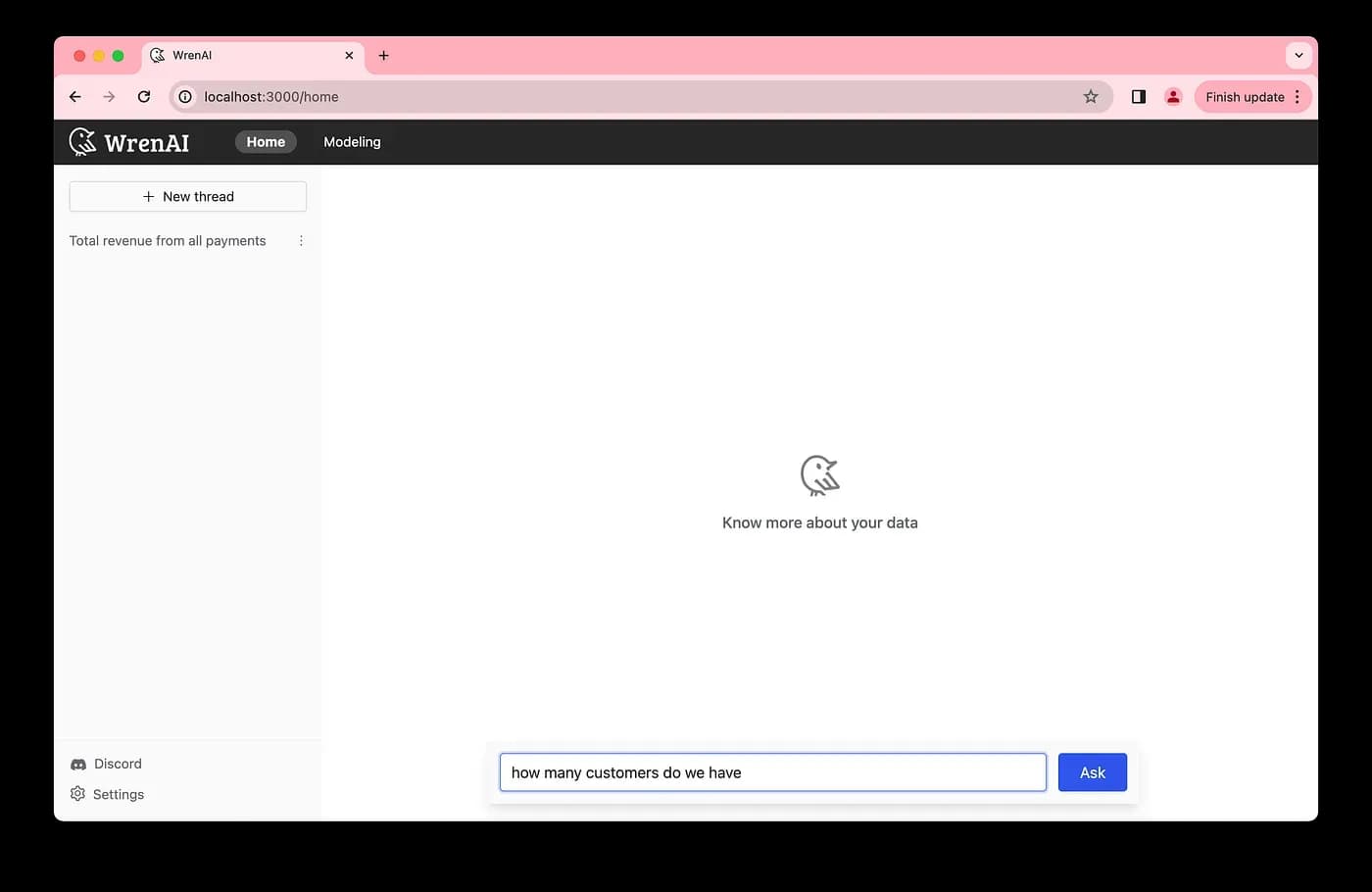
Ask any business questions to Wren AI
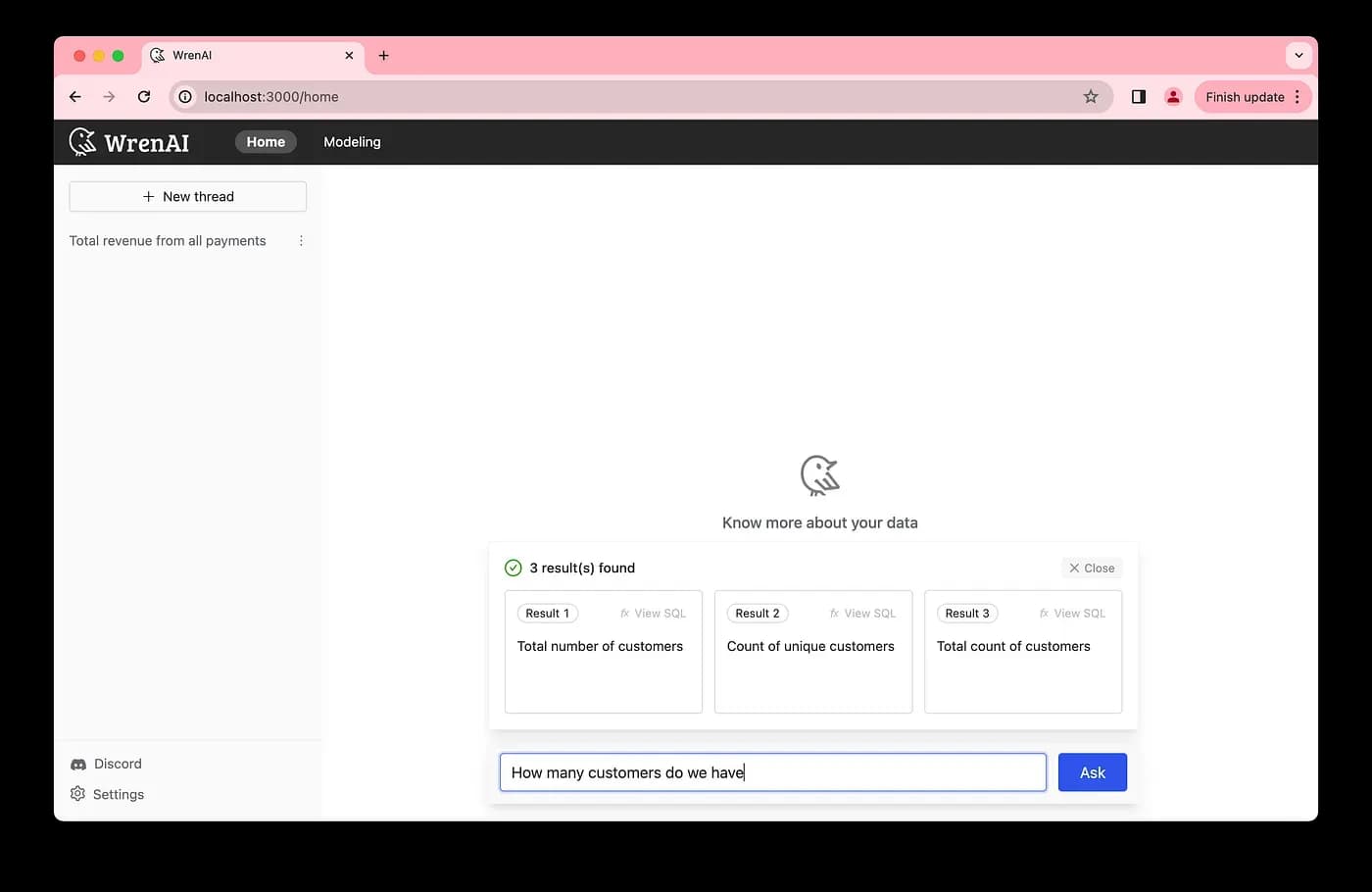
Wren AI searches for the most relevant result
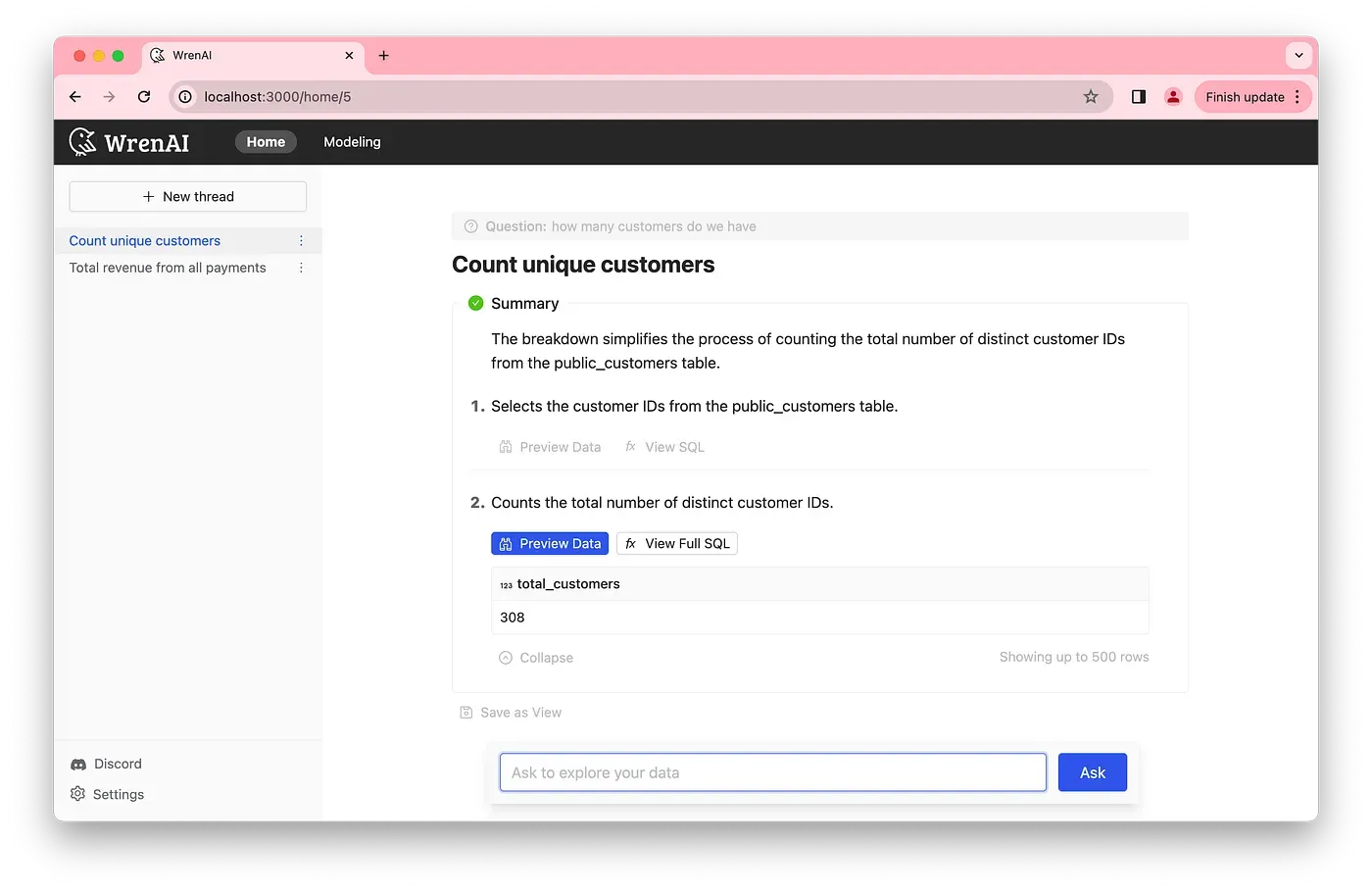
Step-by-step breakdown of the SQL summary
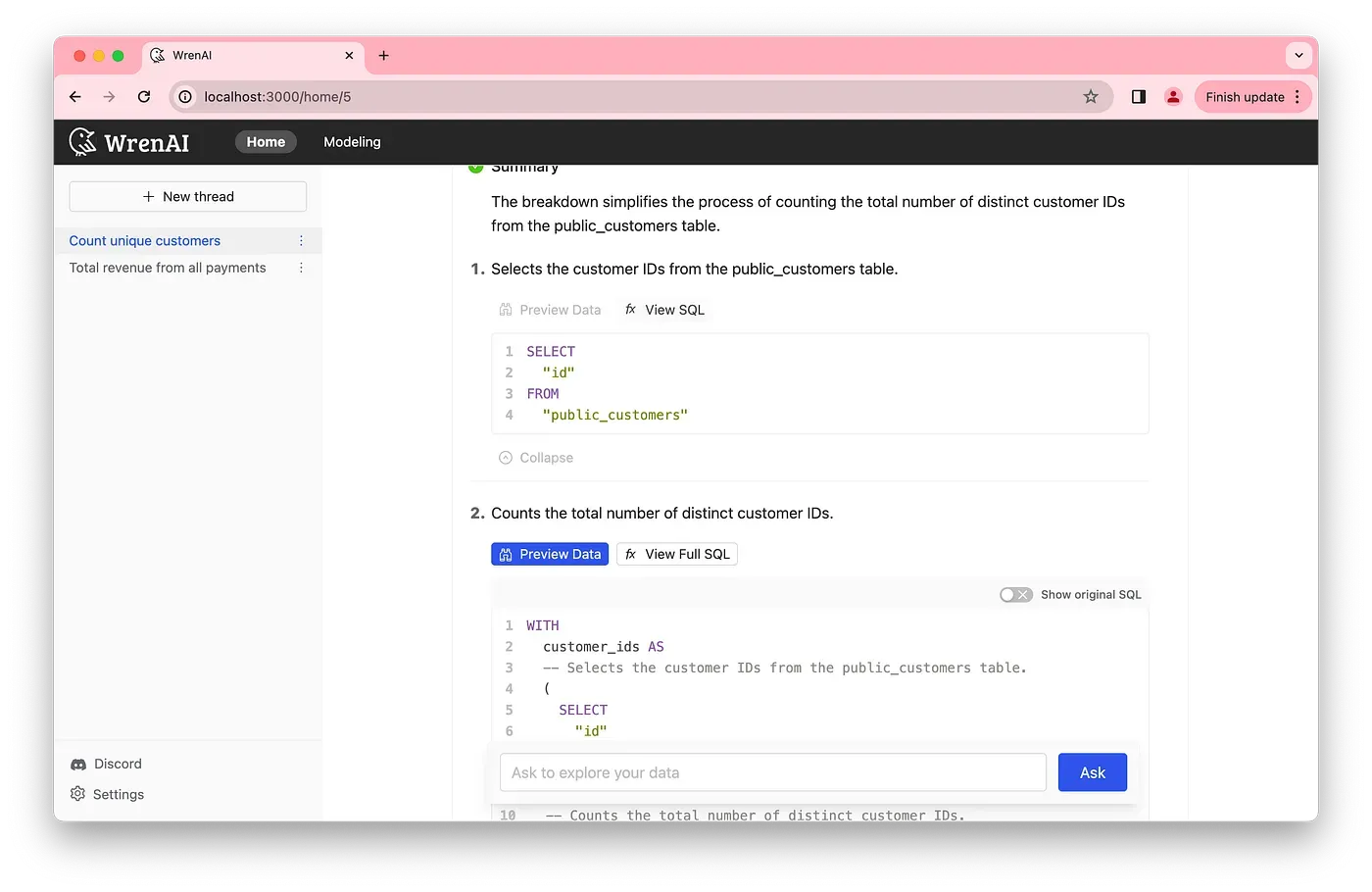
Ask follow-up questions to gain more insights.
Give it a try! Hope you are having fun with gpt-4o!
See governed GenBI in action
Watch short demos of Wren AI turning business questions into governed SQL, charts, and reusable GenBI apps.
Watch product demosRelated posts
Beyond Dashboards How Conversational AI is Revolutionizing Structured Finance Analytics
How Wren AI transforms complex financial data into instant, actionable insights through natural language, no technical expertise required
Aug 20, 2025Game On: How Wren AI Transforms Backend Gaming Data Into Actionable Insights
How Wren AI Turns Natural-Language Questions Into Cost-Efficient SQL to Accelerate Insights from Gaming Data
Apr 01, 2025Beyond Text-to-SQL: Why Feedback Loops and Memory Layers Are the Future of GenBI
How Wren AI’s Innovative Approach to Question-SQL Pairs and Contextual Instructions Delivers 10x More Accurate Generative Business Intelligence
The Wren Journal
Get the next deep dive in your inbox
Practical GenBI guides, product updates, and customer lessons from the Wren AI team. A couple of emails a month, no noise.

Keep reading
Insight, Trend
Beyond Dashboards How Conversational AI is Revolutionizing Structured Finance Analytics
How Wren AI transforms complex financial data into instant, actionable insights through natural language, no technical expertise required
Insight, Product, Trend
Game On: How Wren AI Transforms Backend Gaming Data Into Actionable Insights
How Wren AI Turns Natural-Language Questions Into Cost-Efficient SQL to Accelerate Insights from Gaming Data
Insight, Product
Beyond Text-to-SQL: Why Feedback Loops and Memory Layers Are the Future of GenBI
How Wren AI’s Innovative Approach to Question-SQL Pairs and Contextual Instructions Delivers 10x More Accurate Generative Business Intelligence